Gameboy Classic: Professionel IPS LCD-skærm


Gameboy Classic: Professionel IPS LCD-skærm
Direkte levering: Dette produkt sendes direkte fra vores leverandør fra udlandet med AliExpress Selection Standard Shipping.
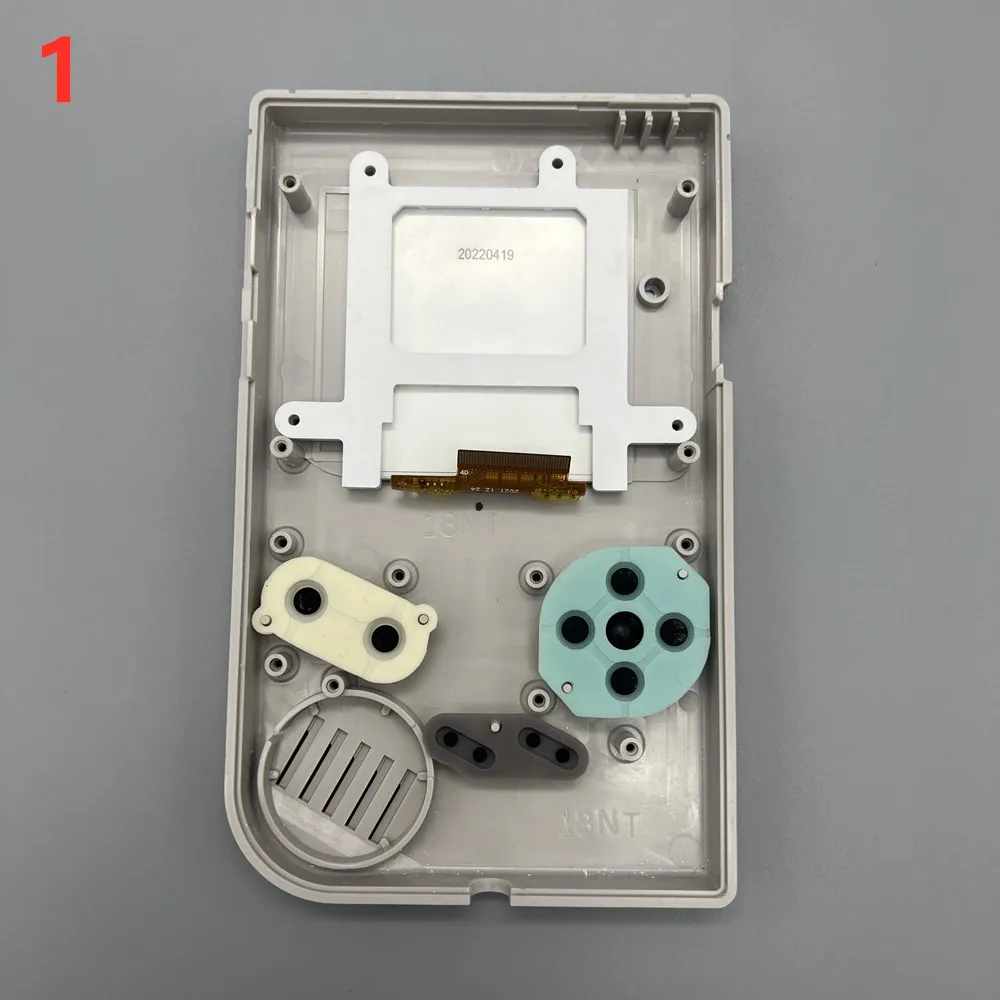
Professionel IPS LCD-skærm til Game Boy Classic DMG – 2.45" med fuld tilpasning Denne højkvalitets IPS LCD-skærm giver din klassiske Game Boy DMG et moderne upgrade uden at kræve tilskæring. Originalt format, plug-and-play installation. Hovedfunktioner: 2.45" TFT IPS-display med ekstraordinær klarhed 100-trins lysstyrkeregulering for perfekt visning i enhver belysning Gem op til 7 brugerdefinerede farvepaletter Batteri-statusvisning direkte på skærmen Pixel-display-tilstand for autentisk Game Boy-æstetik Understøtter dansk, engelsk og kinesisk menu Kontroldial – sådan bruges det: 1 sekund: Vis batteristatus 3 sekunder: Vælg blandt gemte farveindstillinger 5+ sekunder: Åbn avanceret tilpassingsmenu Skub op/ned: Juster lysstyrke (mild eller kraftig ændring ved langt tryk) Vigtige installationsvejledninger: Indsæt aldrig kablet baglæns – risiko for ødelæggelse af LCD-chip Håndter med forsigtighed – undgå at klemme eller trække på fladt kabel Påfør isoleringstape på dialens metalkappe for at forhindre kortslutning Test skærmen før montering i kabinet Lad dialens lodninger hærde inden på bygning Se installationsvideo for detaljeret vejledning Kompatibilitet: Nintendo Game Boy Classic DMG.
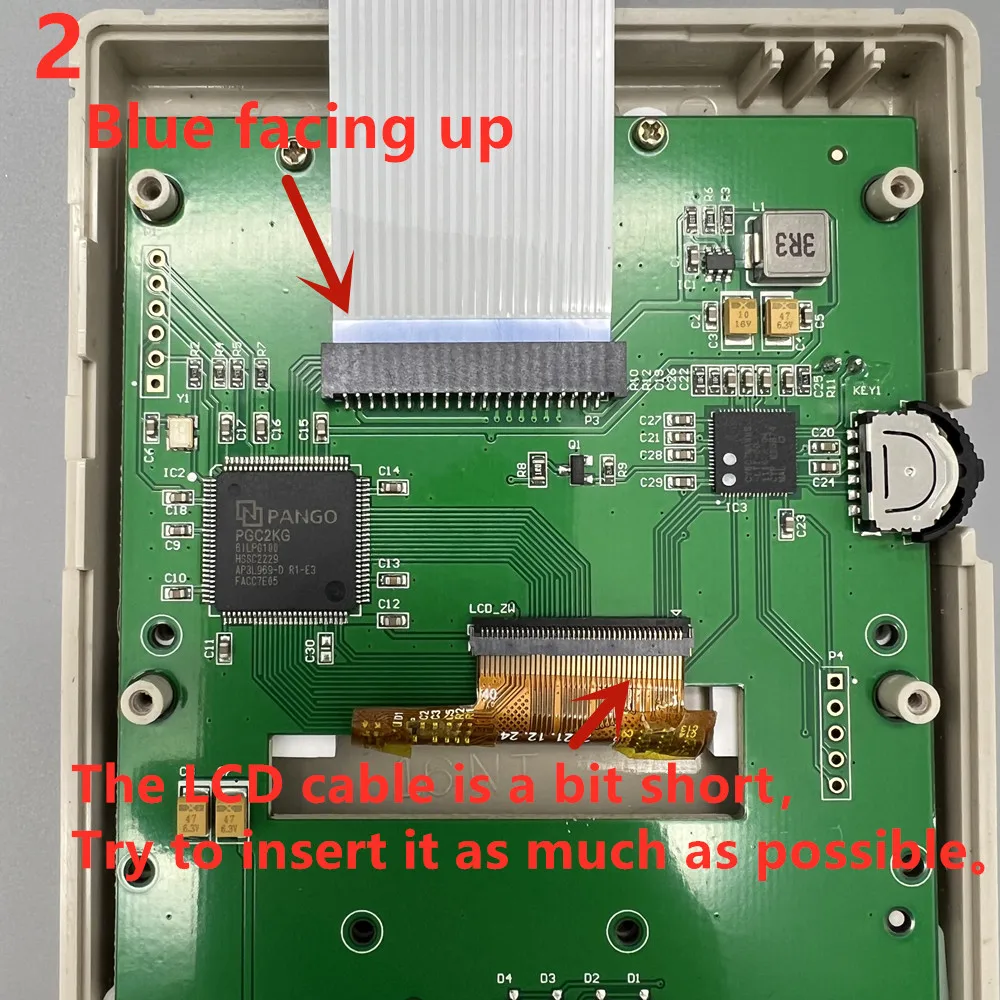
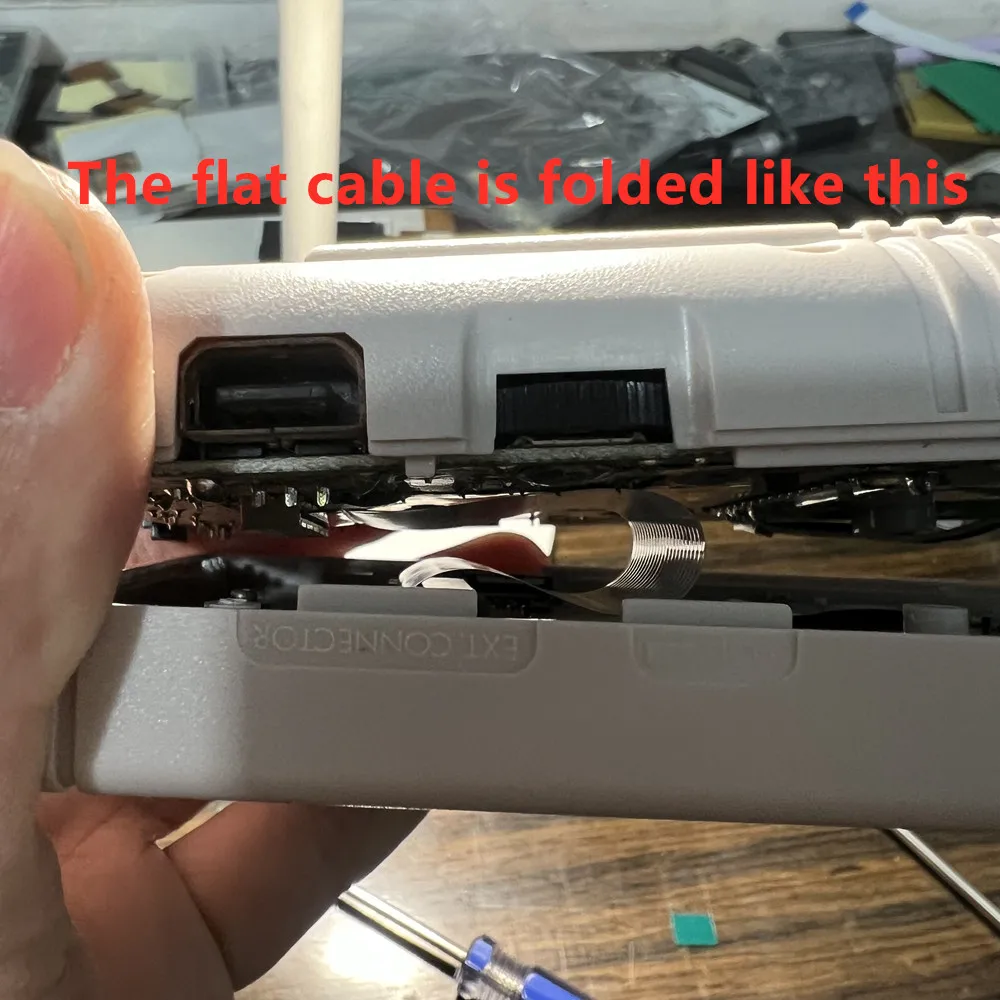
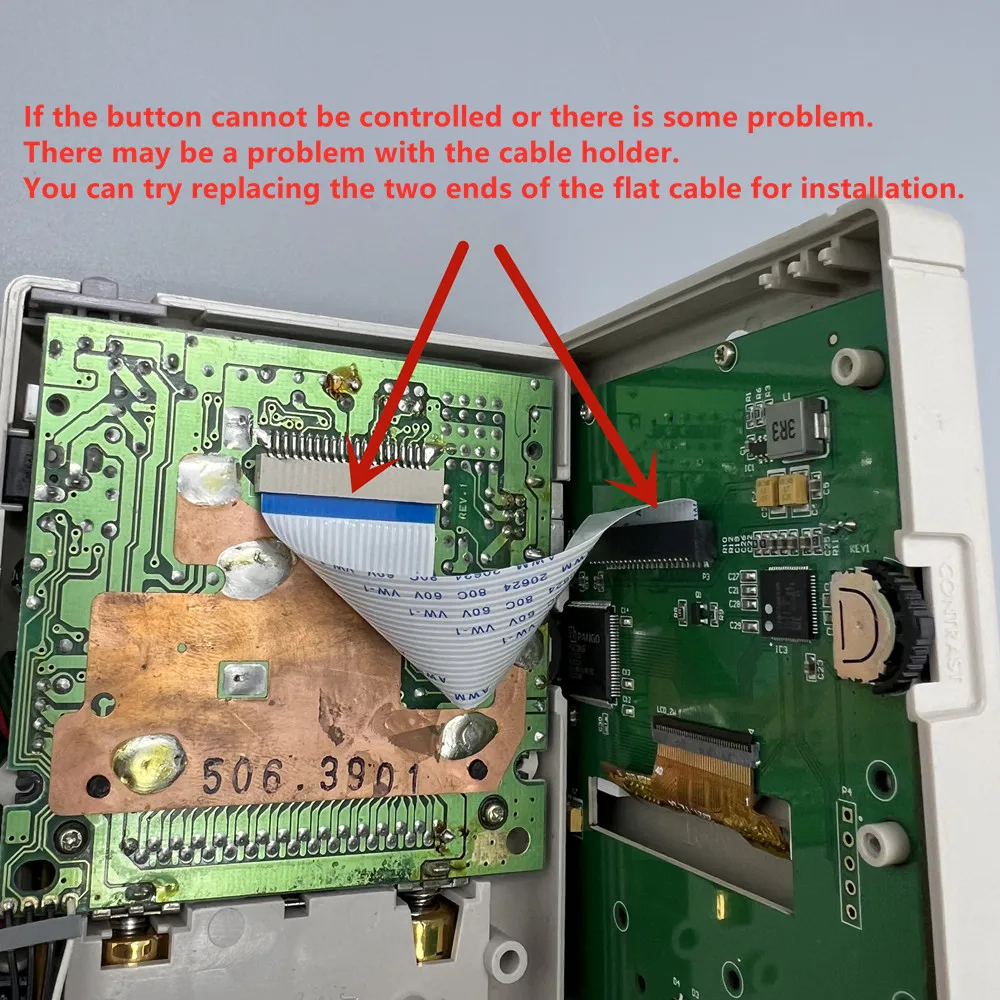
Do not insert the same side of the cable at both ends into the cable holder. As shown below. Inserting a reverse cable like this will burn out the main chip of the LCD screen!!!
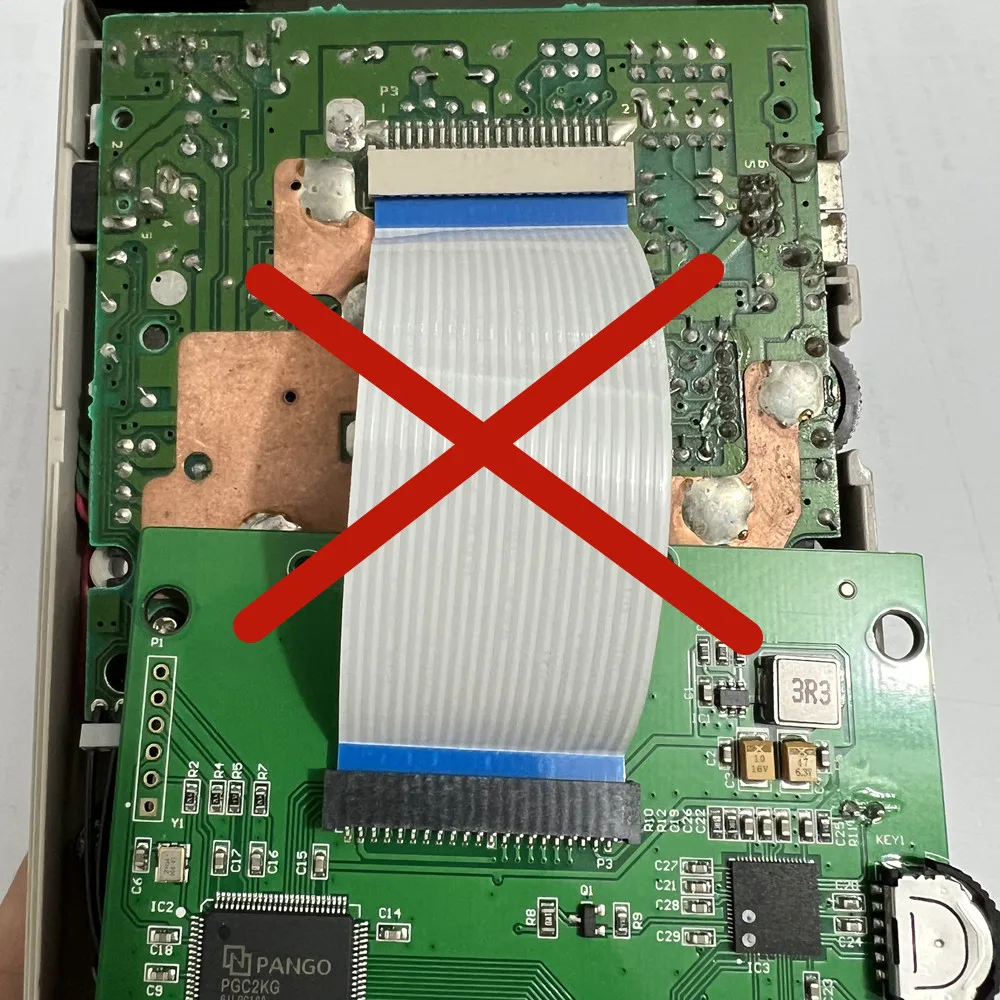
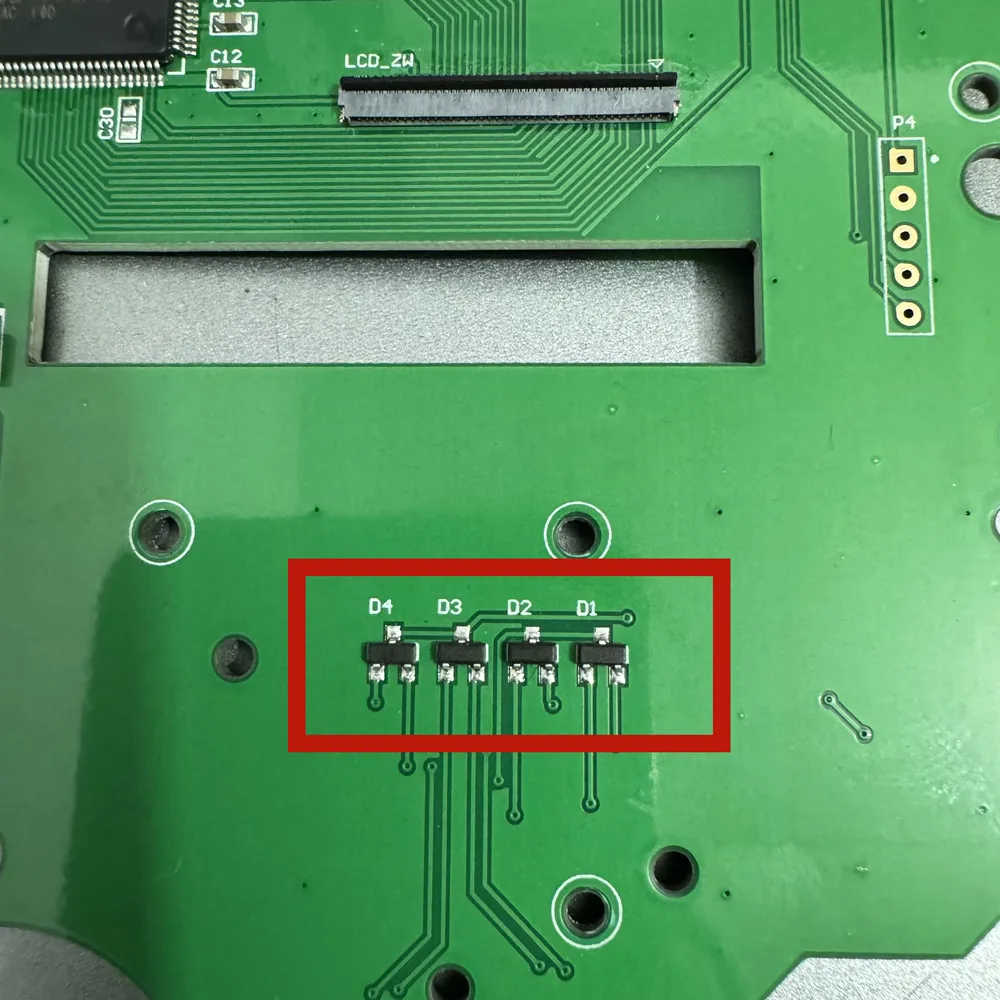
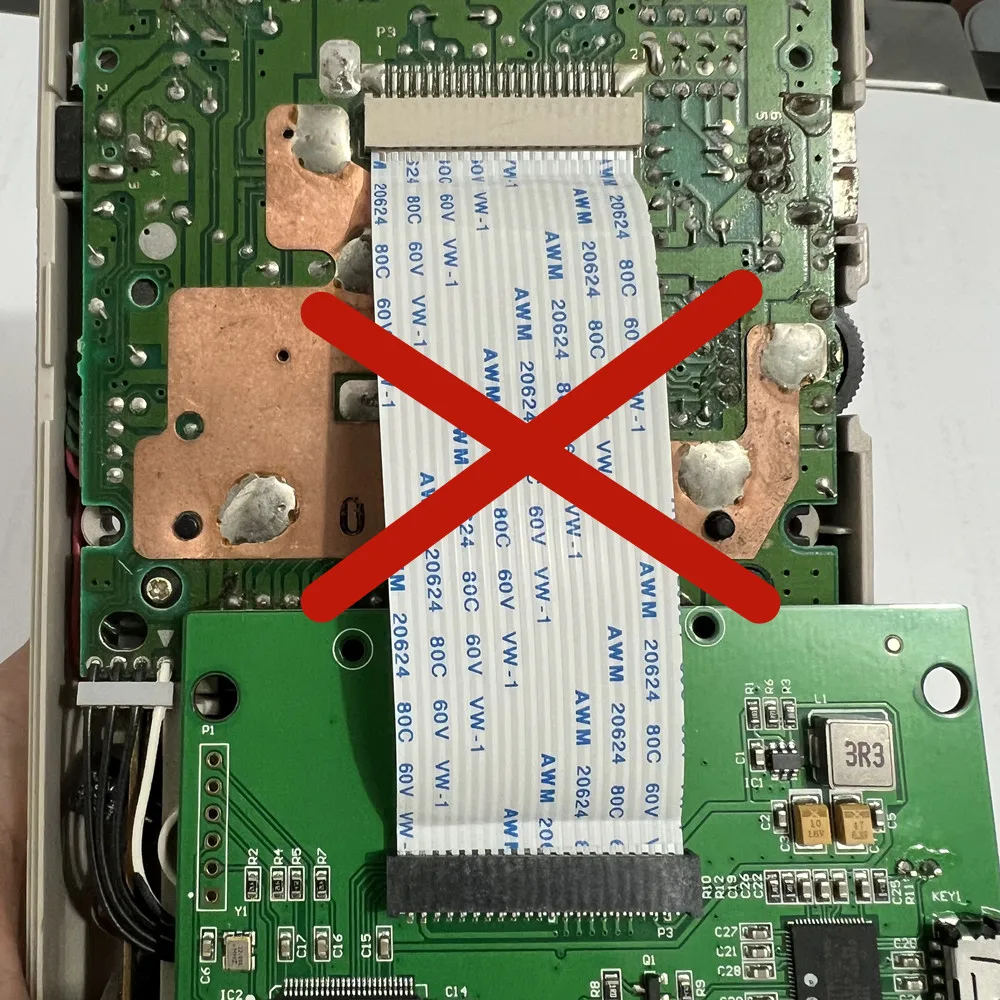 If there is a button malfunction, please make sure that your GB motherboard is functioning properly. Then check if the four transistors on the key board of the LCD screen are soldered properly.
When the dial is pressed and the battery level prompt bar is not displayed, it indicates that the battery level is low.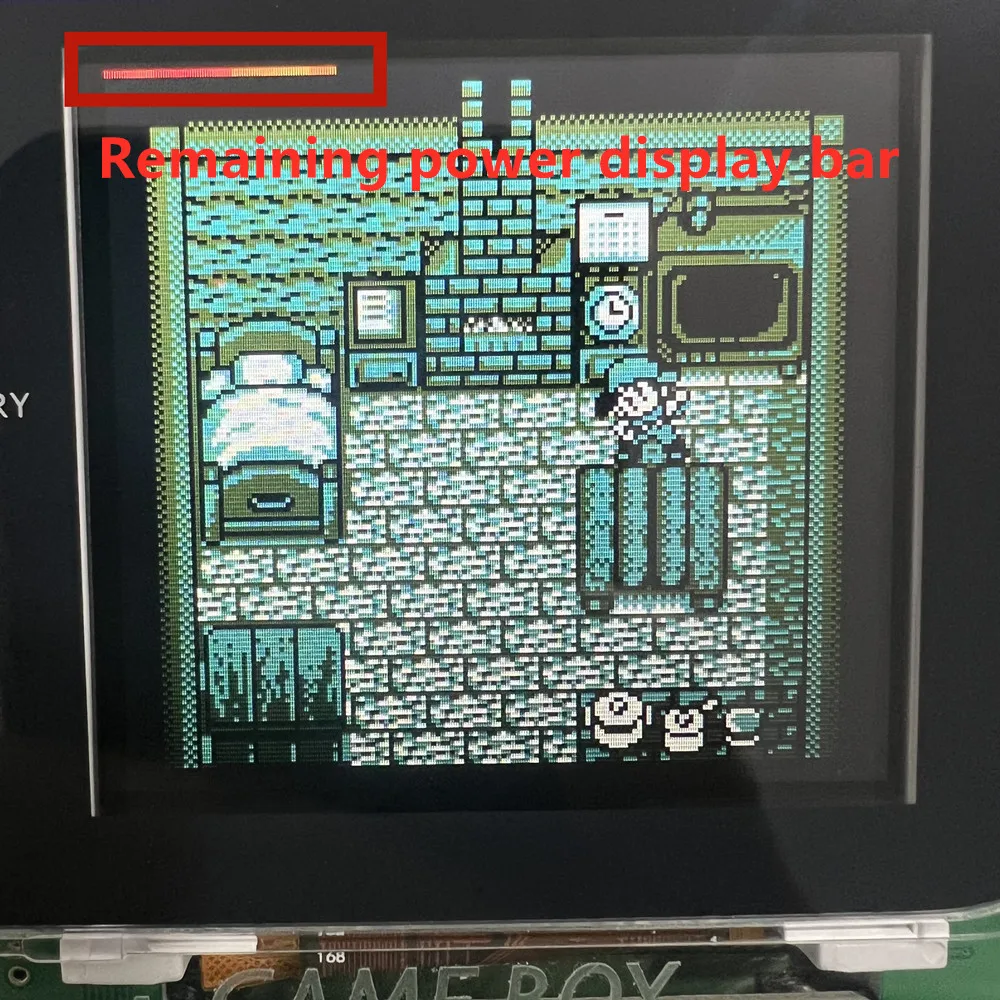
Installation tutorials and precautions:
Do not squeeze the LCD screen. Do not pull the LCD flat cable. Do not wipe the LCD screen.
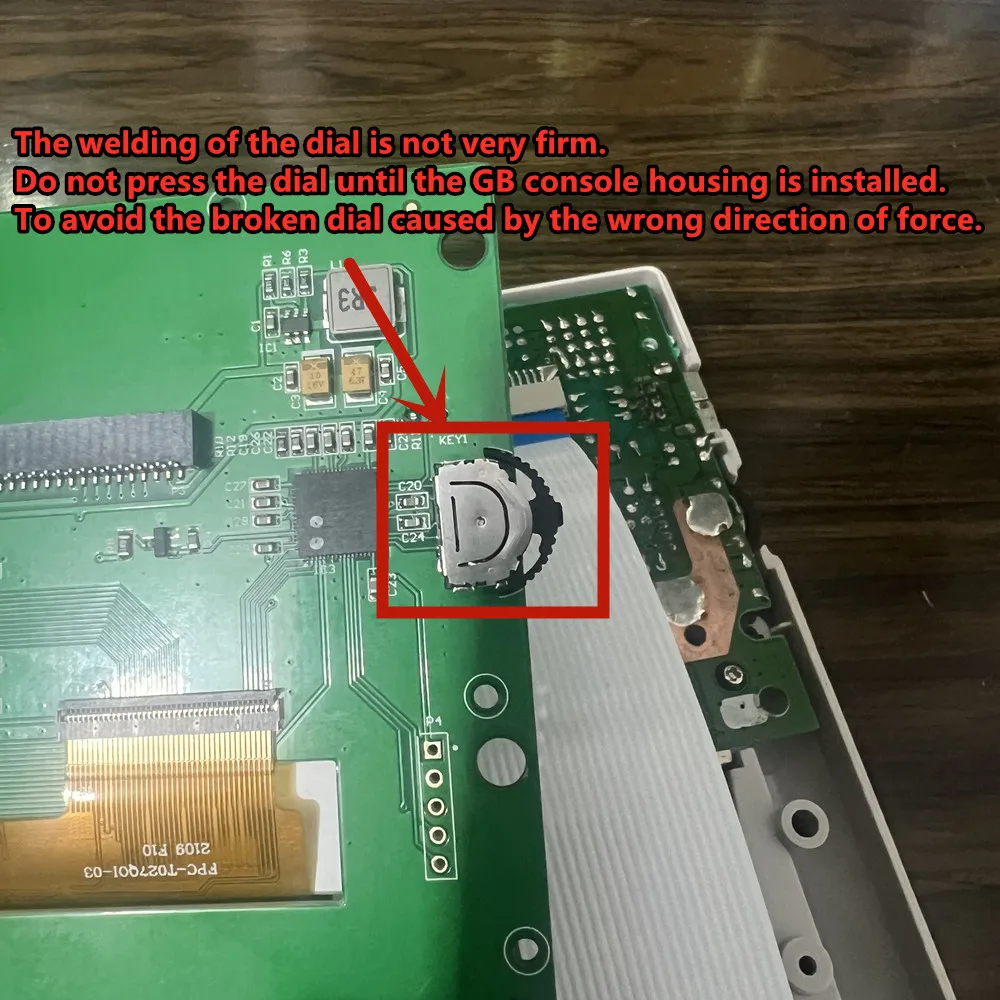
The welding of the dial is not very firm.
Do not press the dial until the GB console housing is installed.
To avoid the broken dial caused by the wrong direction of force.
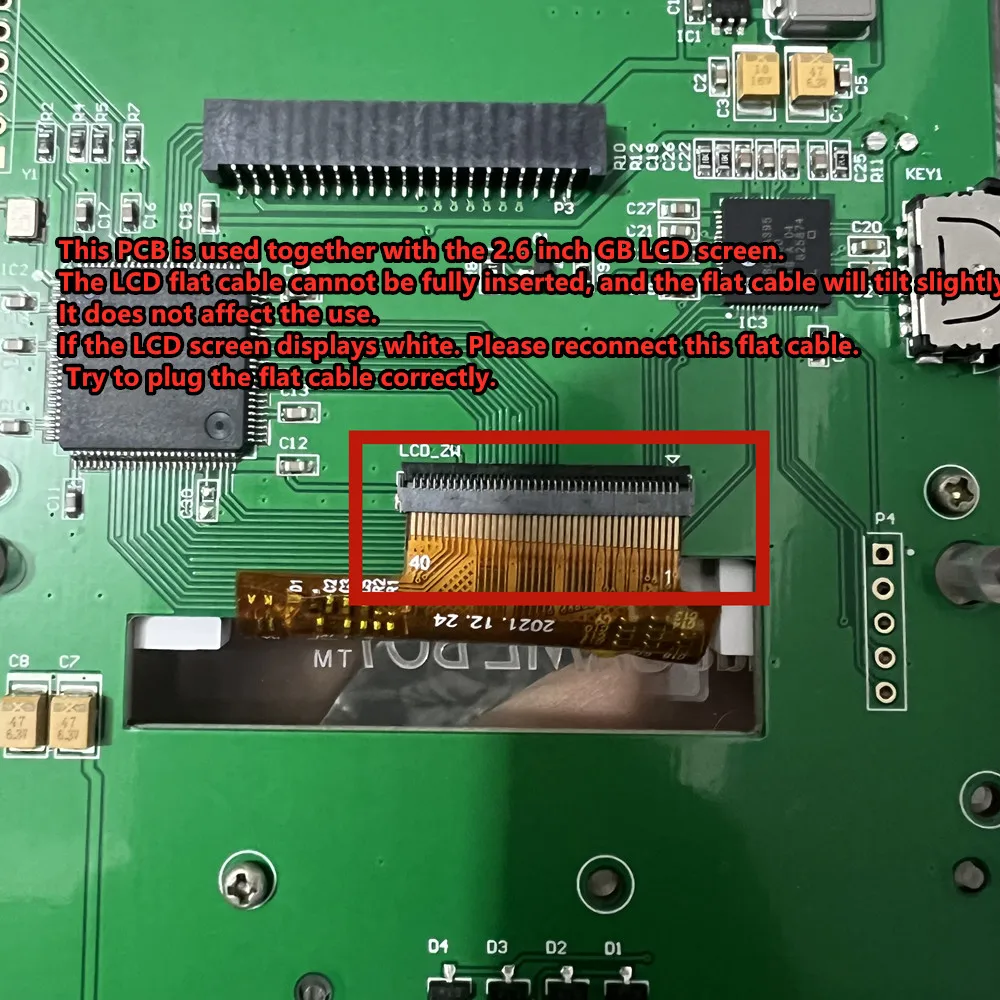
This PCB is used together with the 2.6 inch GB LCD screen.
The LCD flat cable cannot be fully inserted, and the flat cable will tilt slightly.
It does not affect the use.
If the LCD screen displays white. Please reconnect this flat cable.
Try to plug the flat cable correctly.
Please test before installation
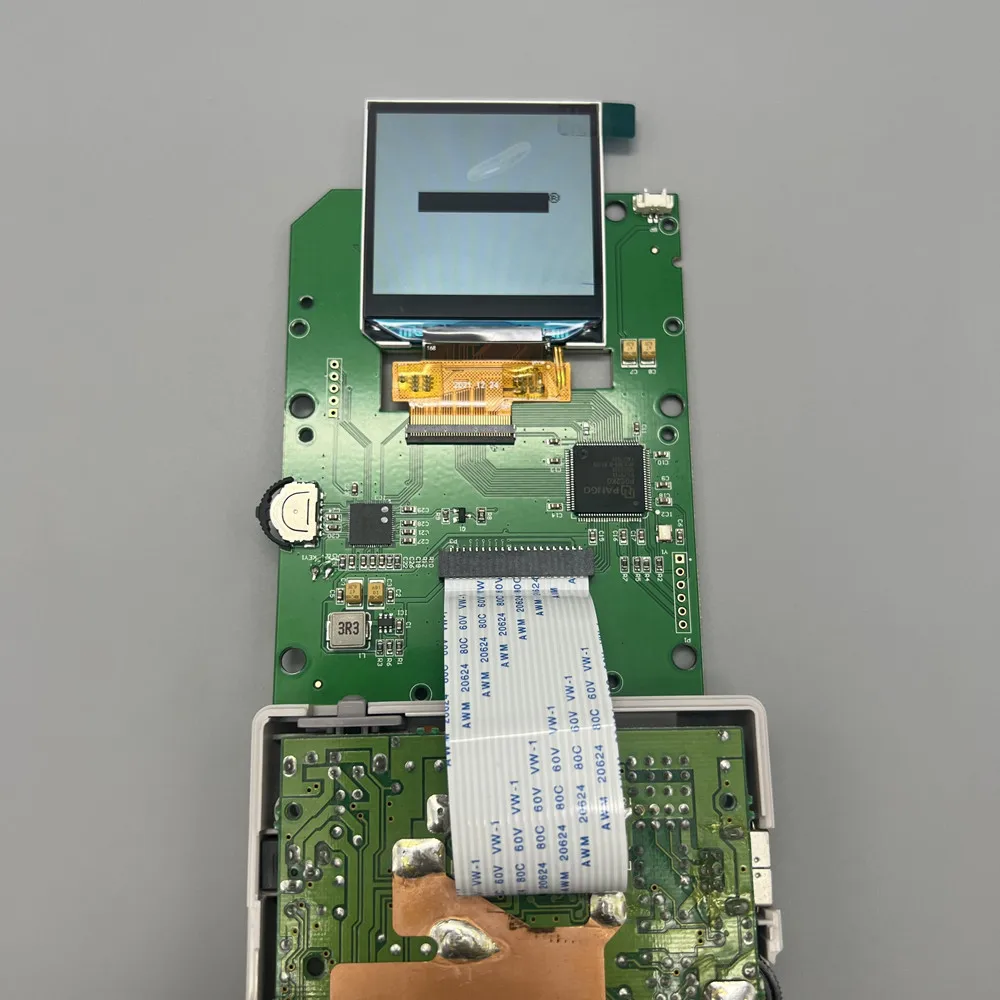
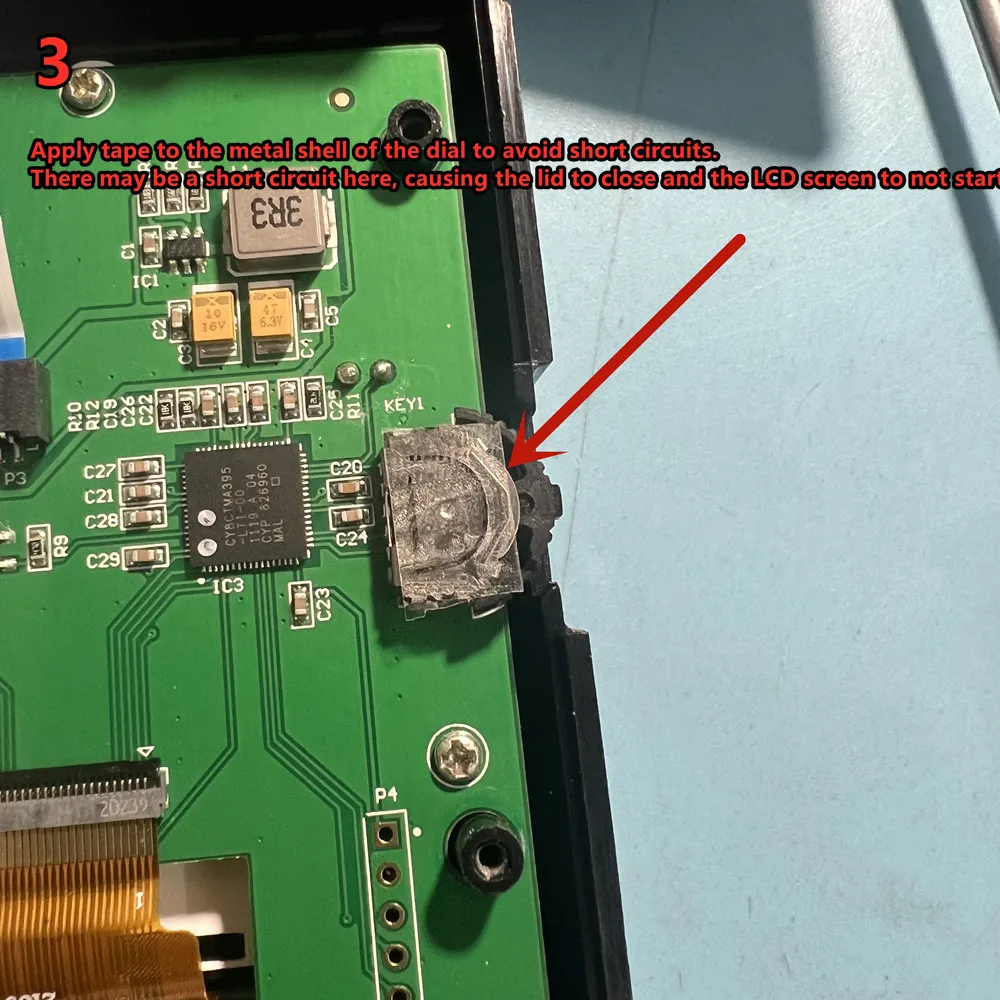
 Apply tape to the metal shell of the dial to avoid short circuits.
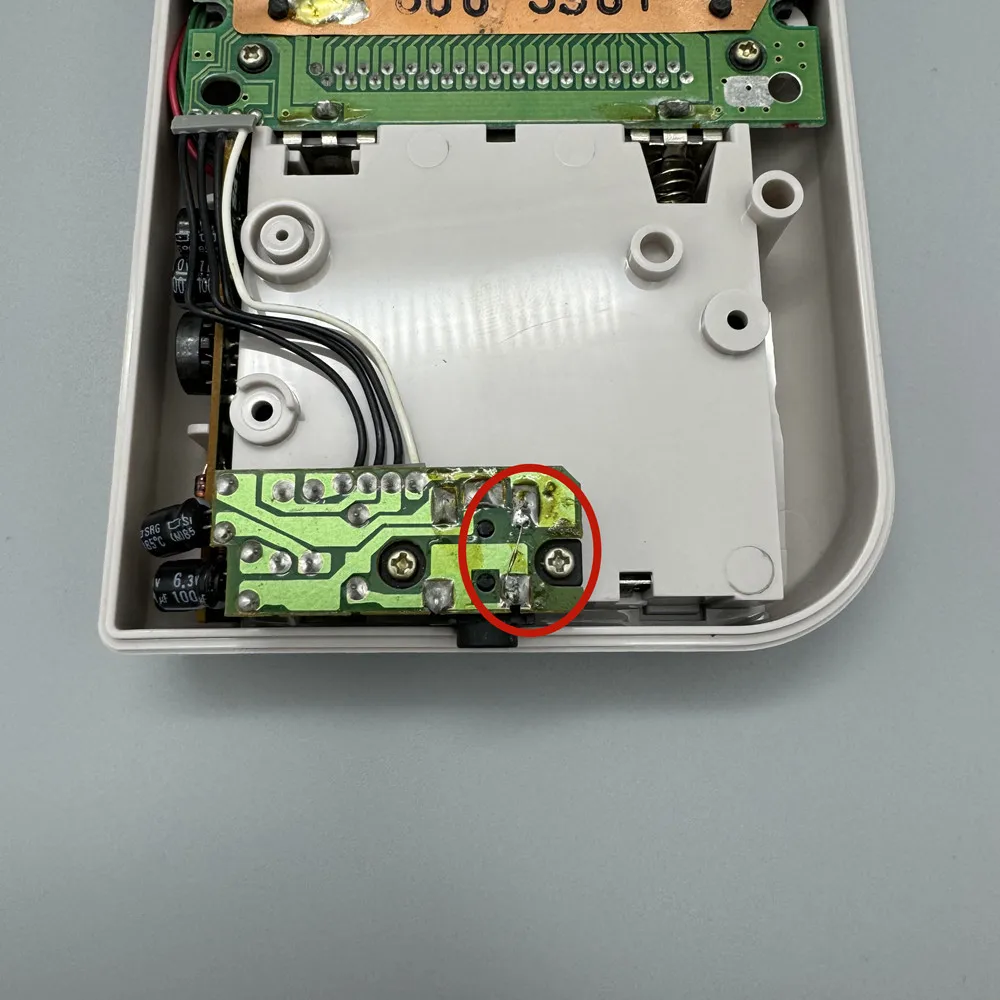
There may be a short circuit here, causing the lid to close and the LCD screen to not start.
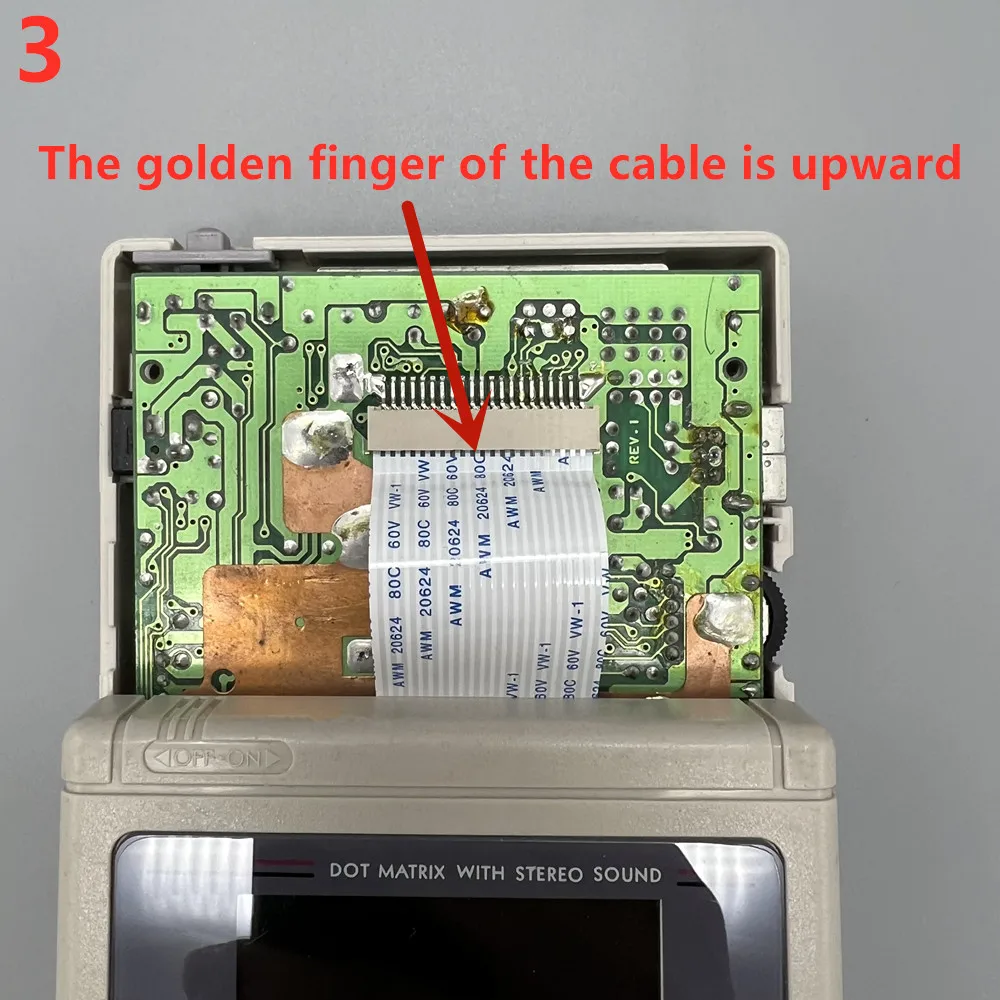
 The speaker cannot play sound, and in most cases, it is caused by rust and damage to the headphone jack. You can try short circuiting these two soldering points of the headphone jack.